How to Integrate Domain DNS Zones with Foxcloud NS Servers
28.02.2025
Complexity
2 min.
2979
Integrating Domain DNS Zones into the ISPmanager Control Panel
- Open the ISPmanager Control Panel.
- Go to the 'Sites'(1) and click on 'Create Site' (2).

- Create a site by specifying the required parameters.
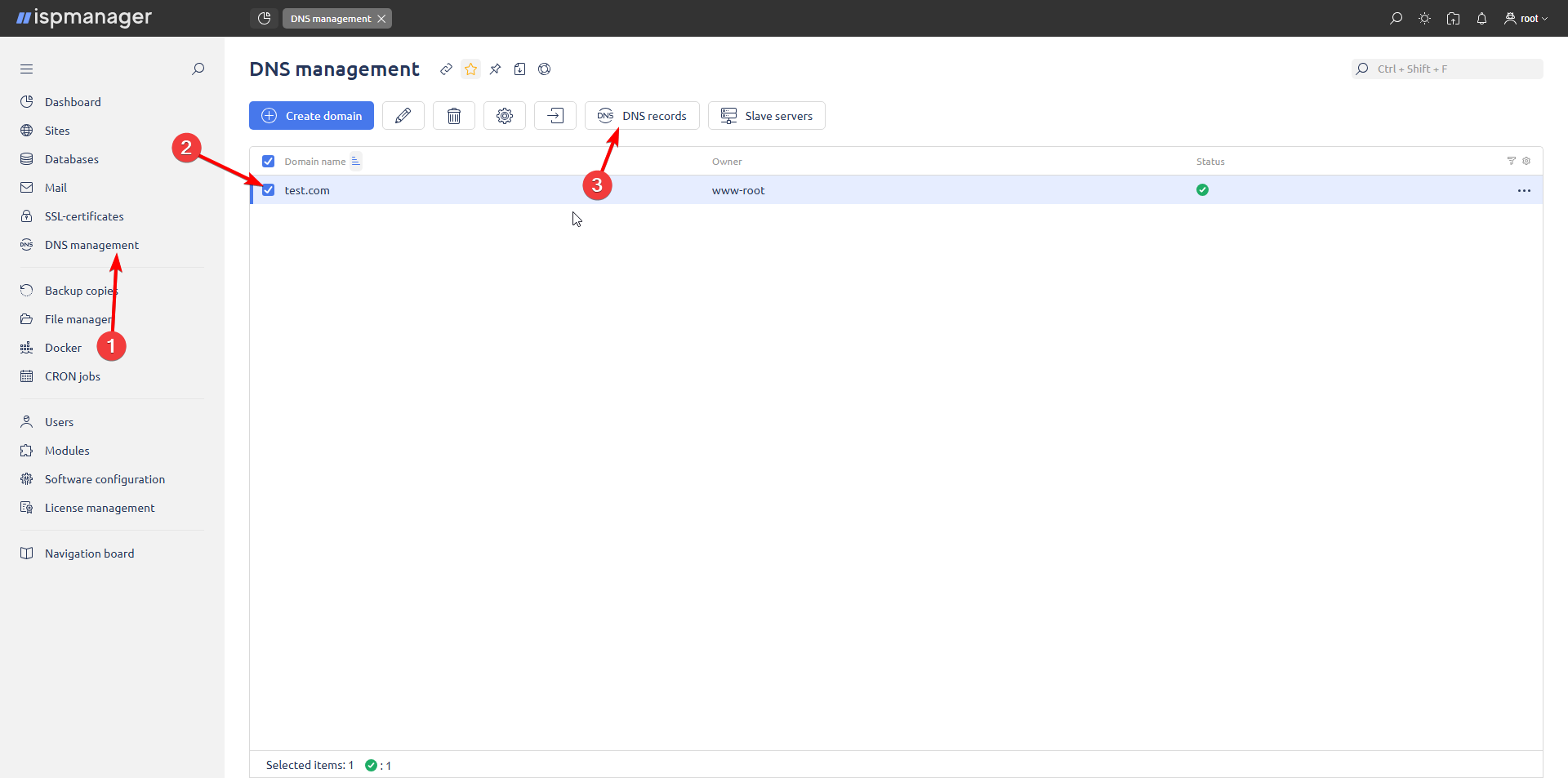
- Navigate to 'DNS Management' (1), select the required domain (2) and click on 'DNS Records' (3).
- Check the NS records.
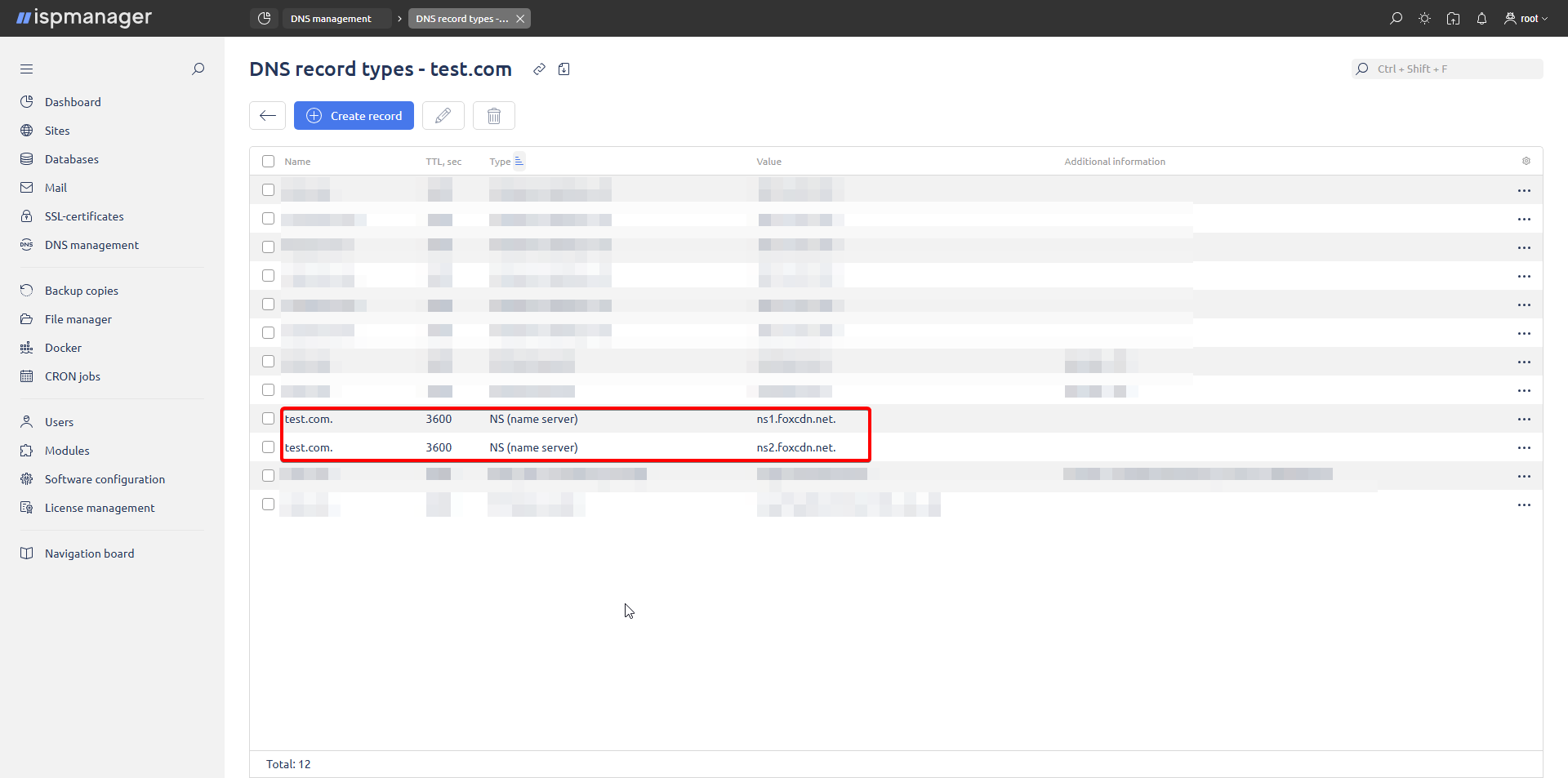
NS server and server location compatibility for ISPmanager:
– ns1.foxcdn.net. and ns2.foxcdn.net. - These same NS records must be specified at your domain registrar.
Integrating Domain DNS Zones into the Hestia Control Panel
- Open the Hestia Control Panel.
- Create a new user, fill in the required fields and save the changes.
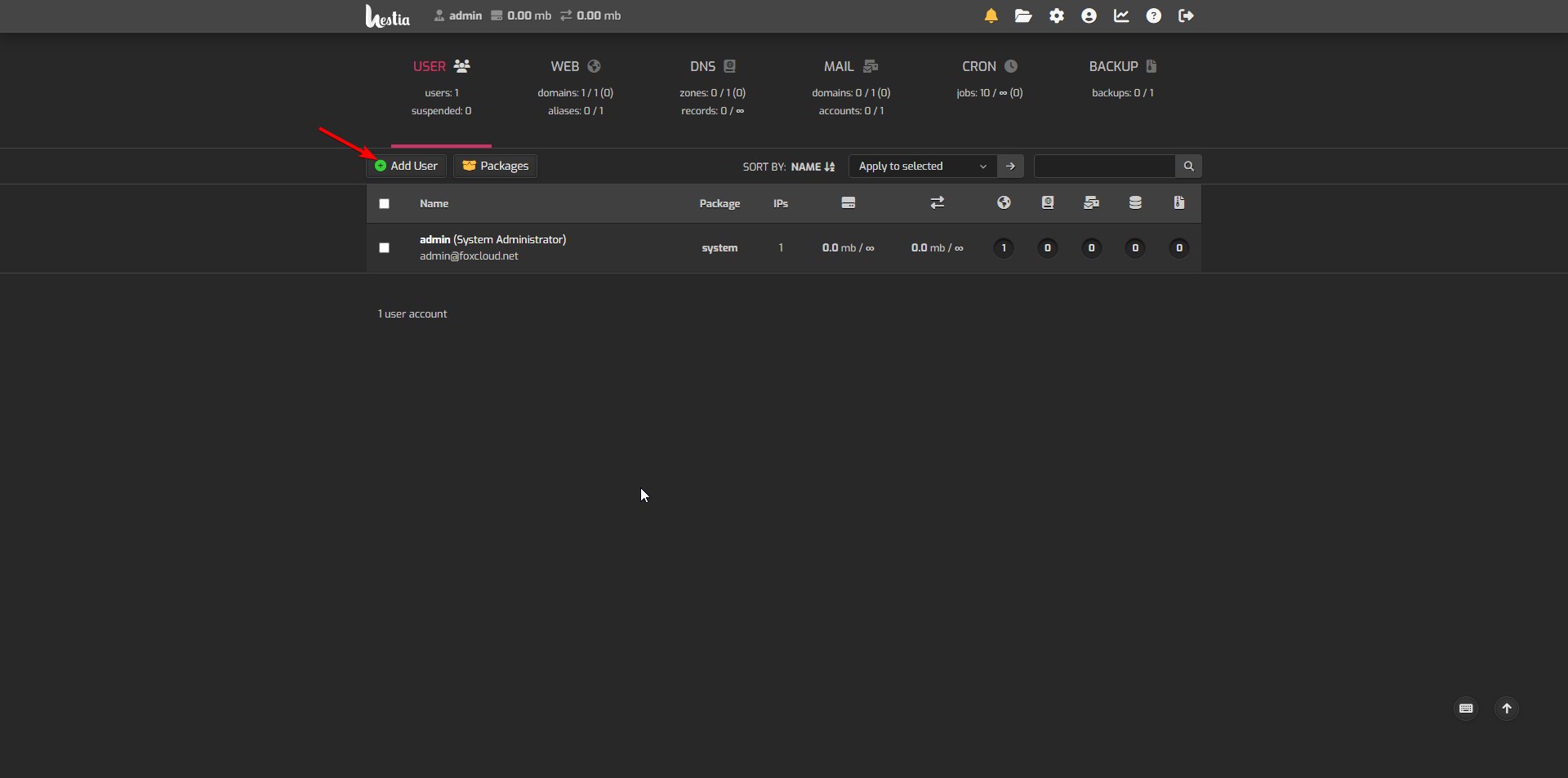
- Go to the 'Users' (1), select the required user and log in as that user (2).
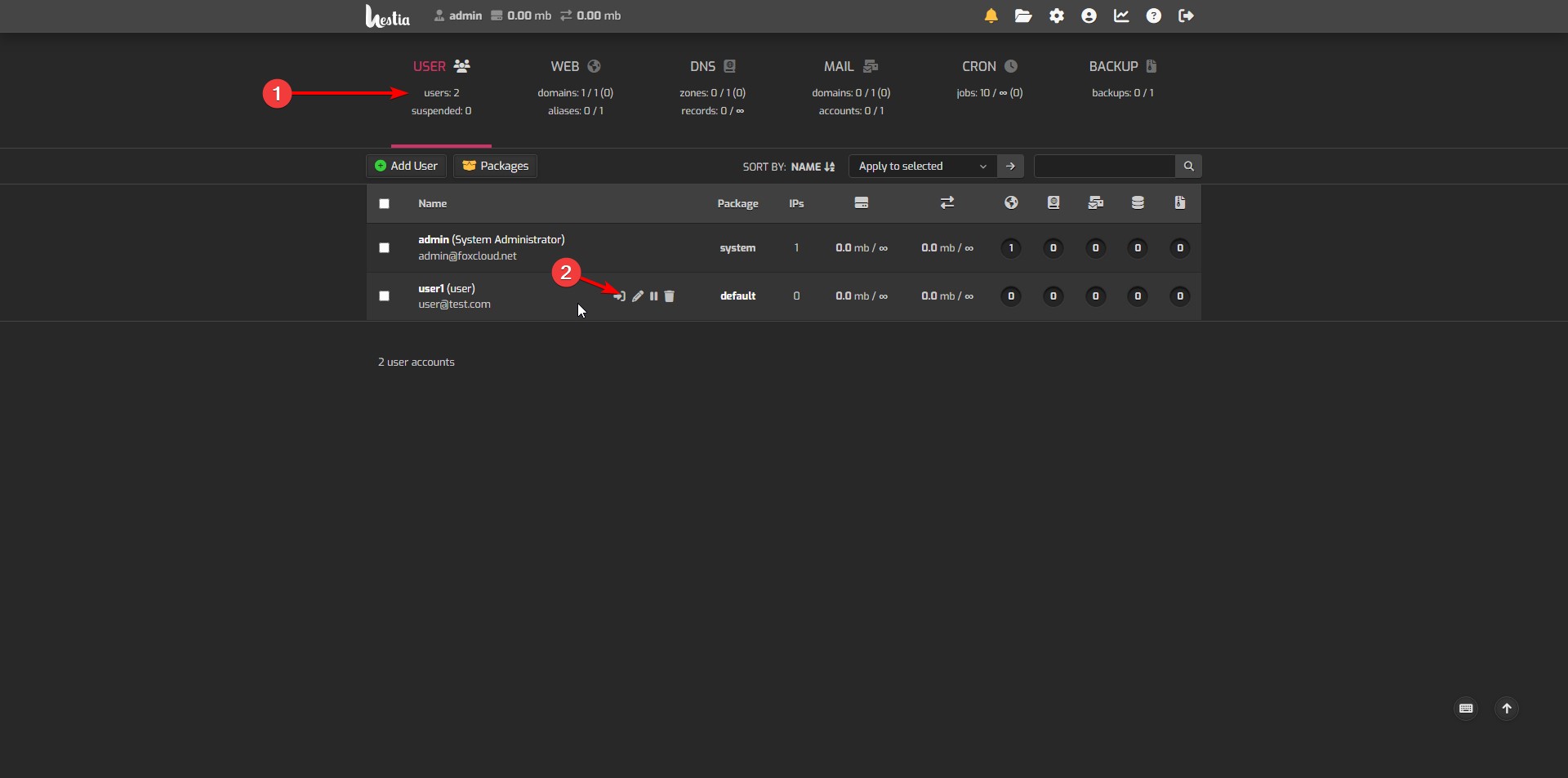
- Click the 'Add Web Domain' button.
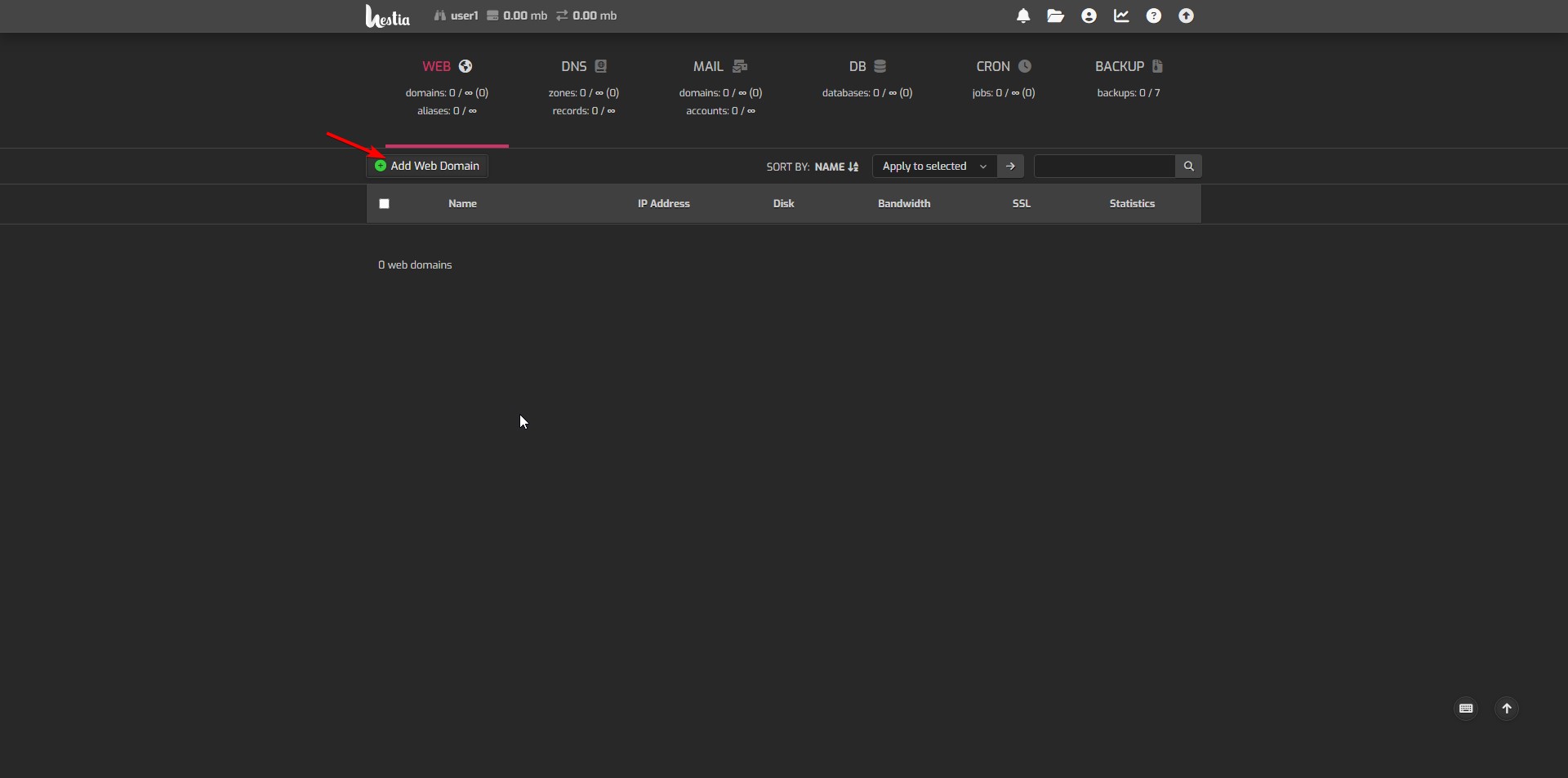
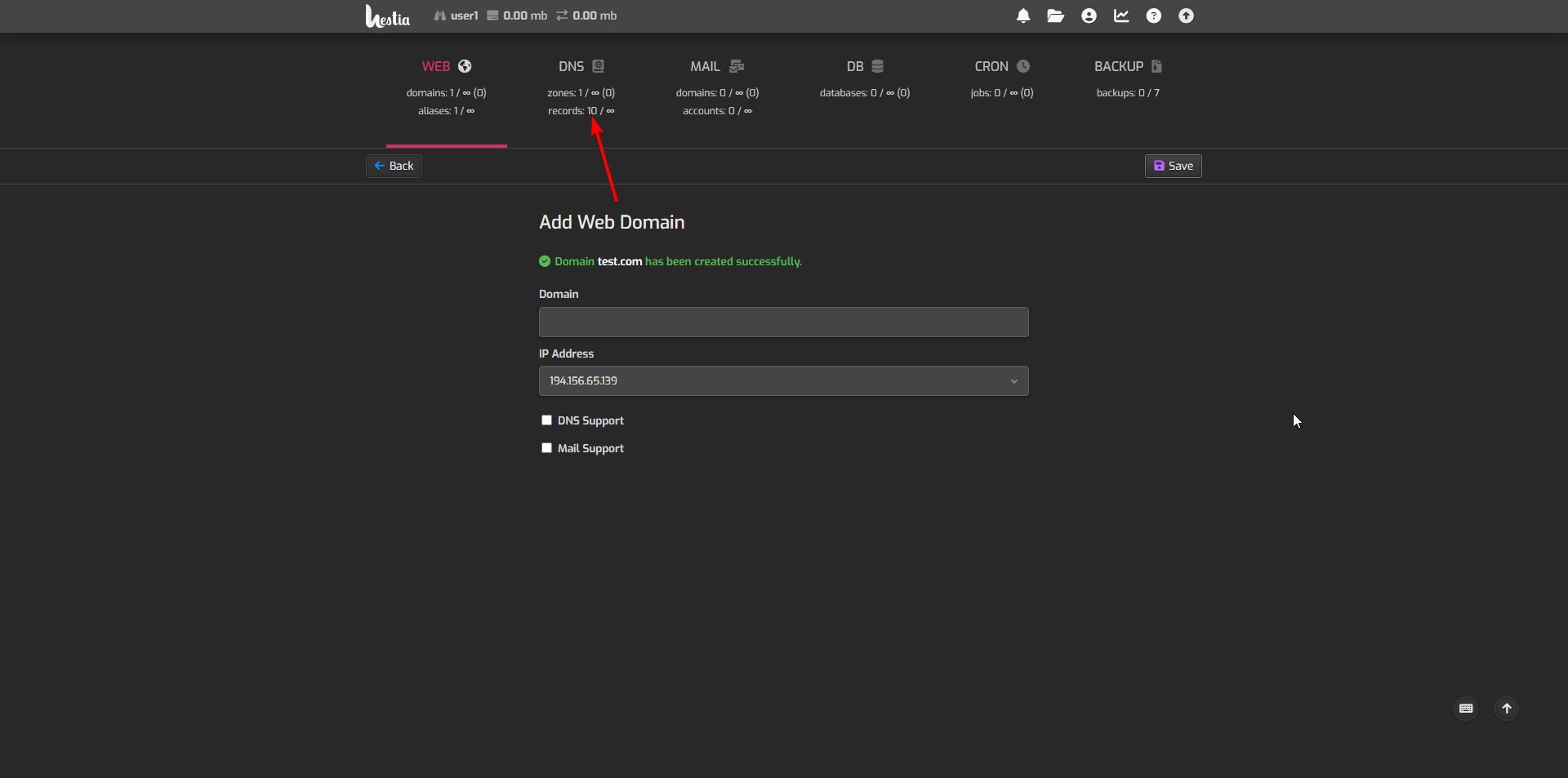
- Fill in the 'Domain' field (1), select 'DNS support' (2) and 'Mail support' (3) if required, then save the changes (4).
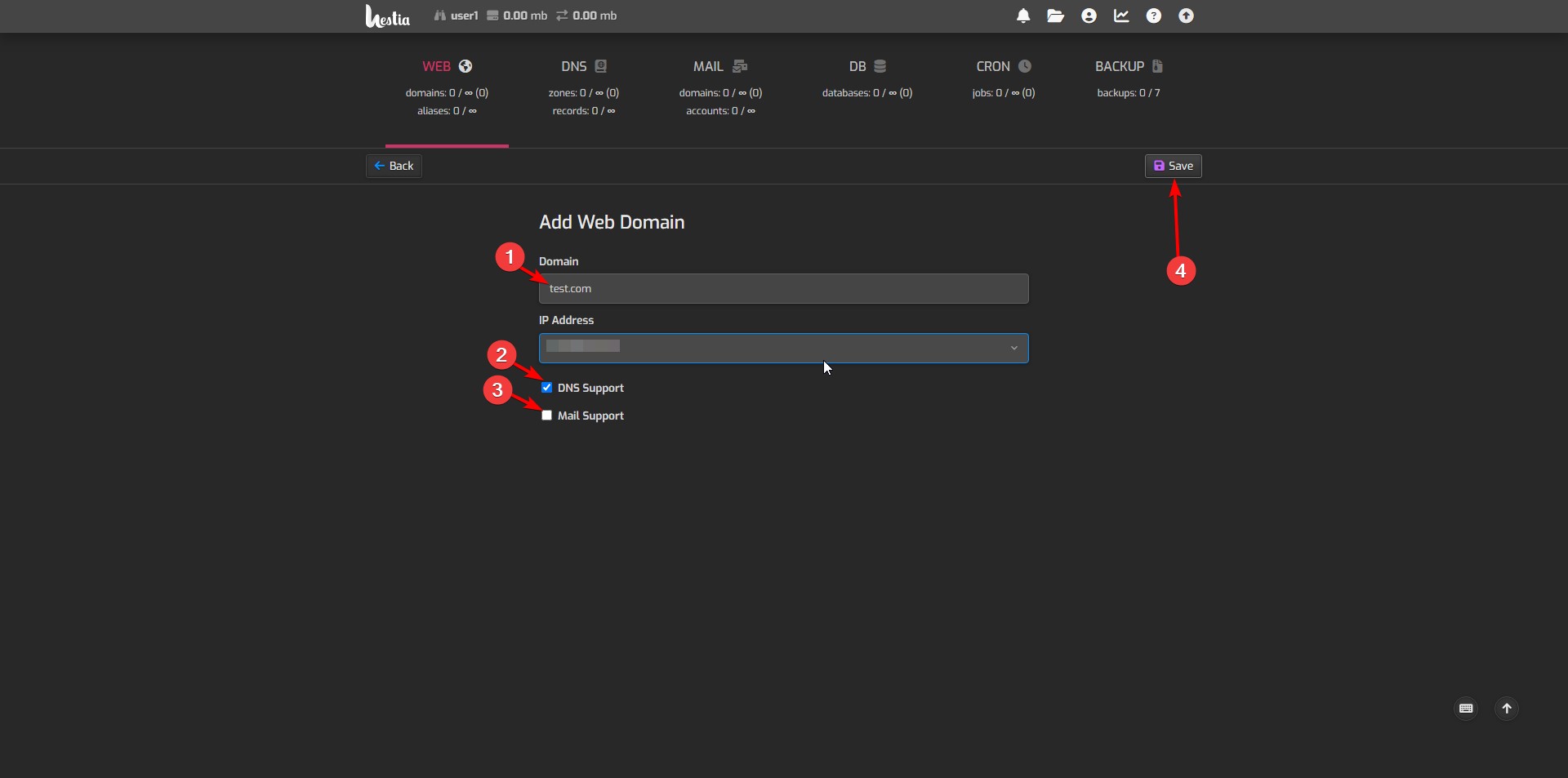
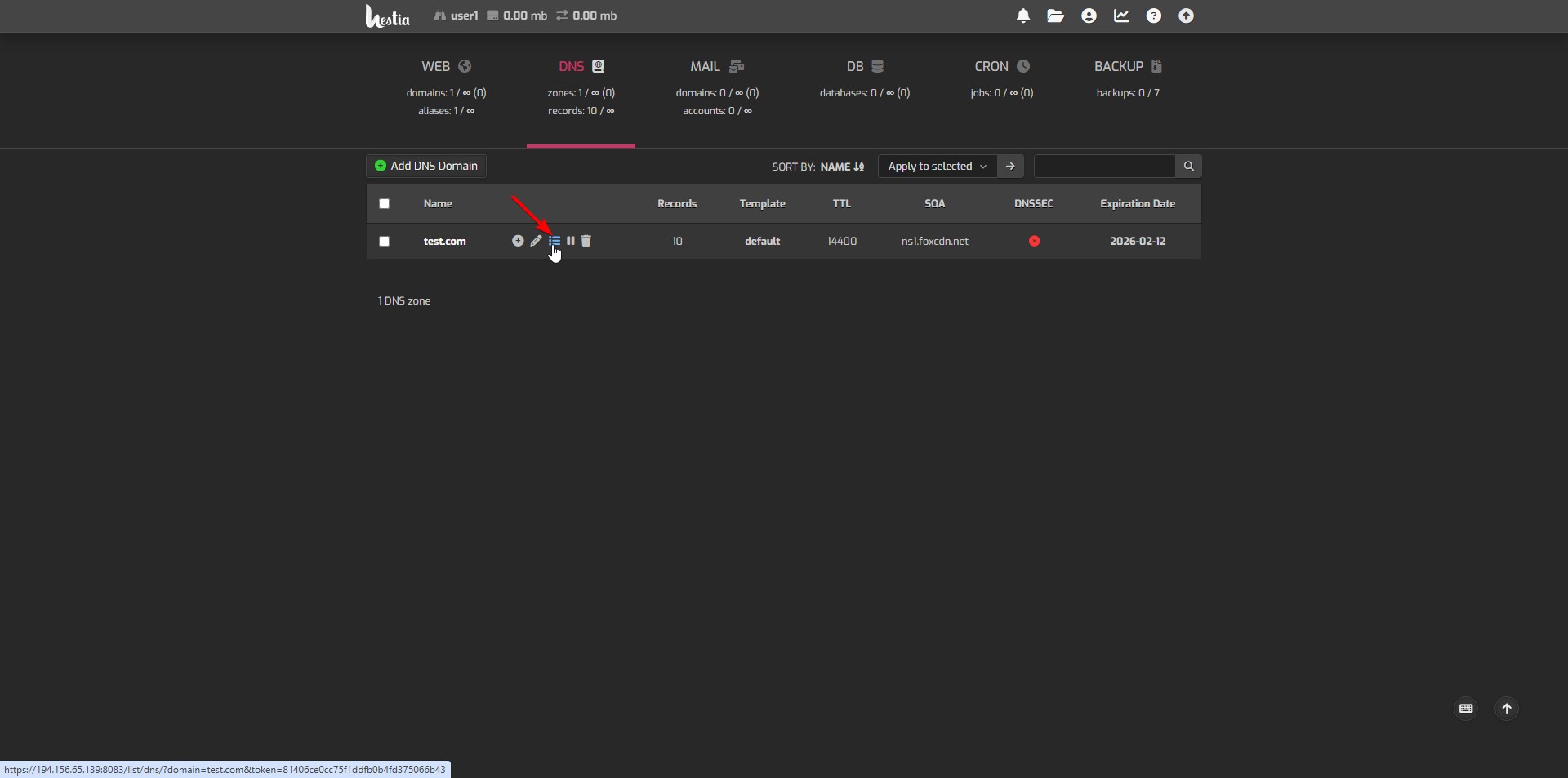
- Go to the 'DNS' tab where you will see the list of domains with DNS zones.
- Click on 'DNS Records' to view the DNS zones.
- Check the NS records.
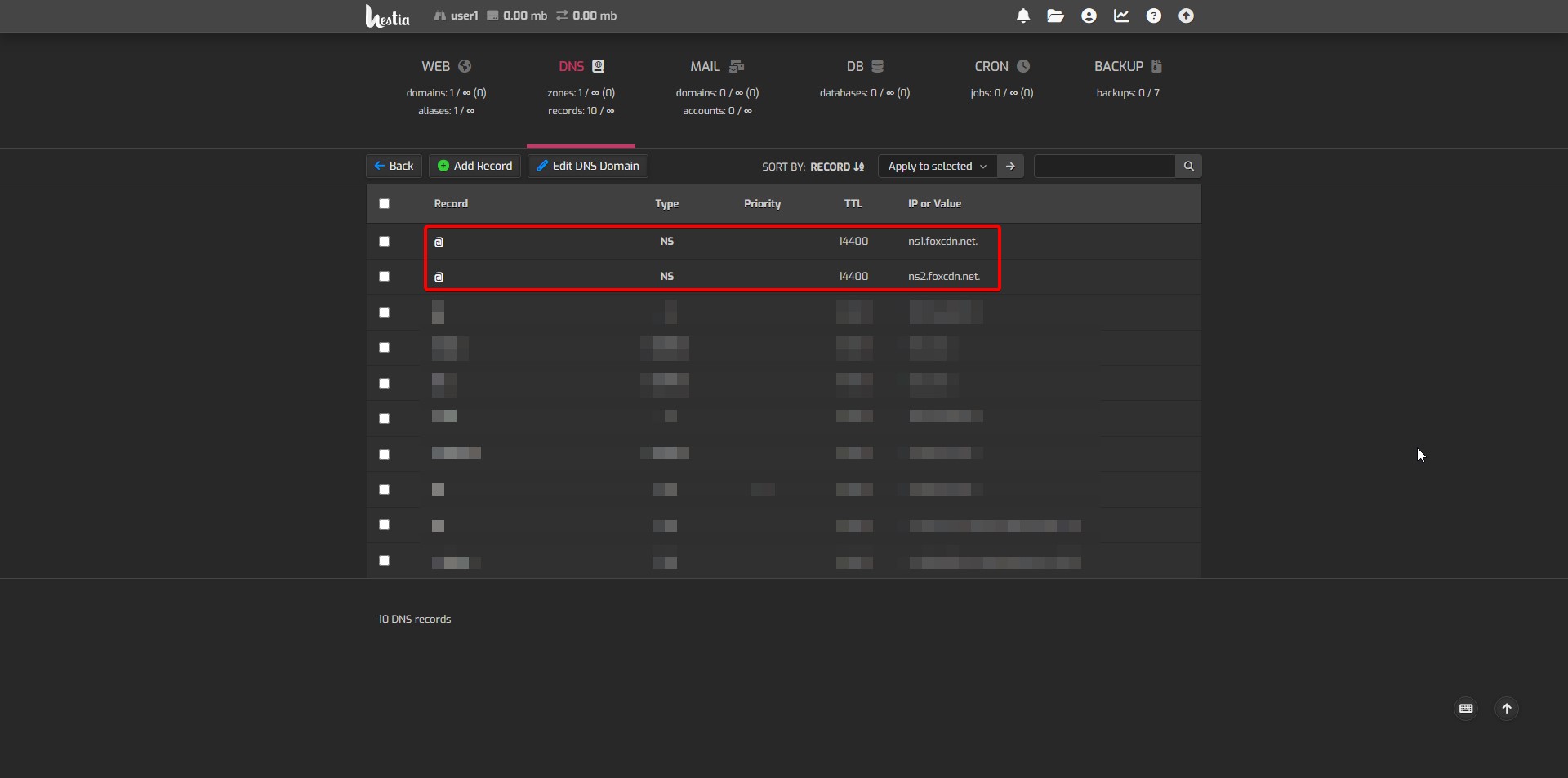
NS servers and server location compatibility for Hestia:
– ns1.foxcdn.net. and ns2.foxcdn.net. - These same NS records must be specified at your domain registrar.
Thanks!
Was this information helpful?
0